安全提示
您的账号已经在另一台客户端登录,您当前账号已被踢出,请重新登录!
确定

YunLark Browser is a modern web browser based on the Chromium kernel with multiple account management and a rich extended ecosystem. It offers a wealth of features and a user-friendly interface designed to provide users with a faster, safer, and more private online experience.
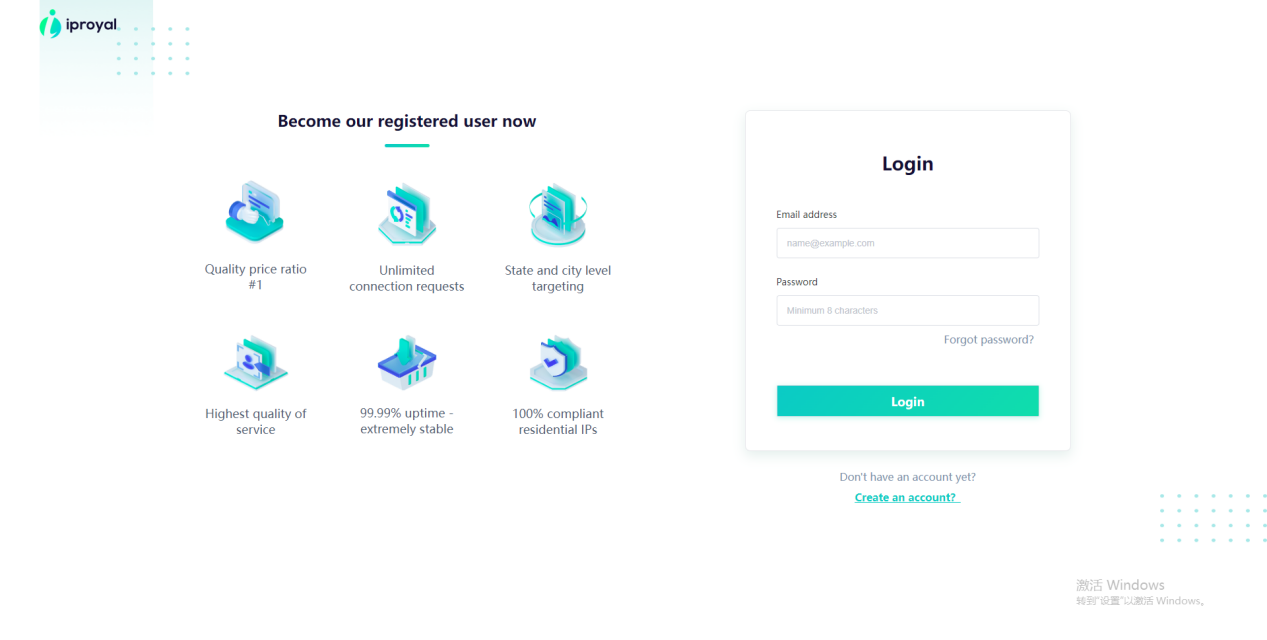
1.Open and log in to the official IProyal website.
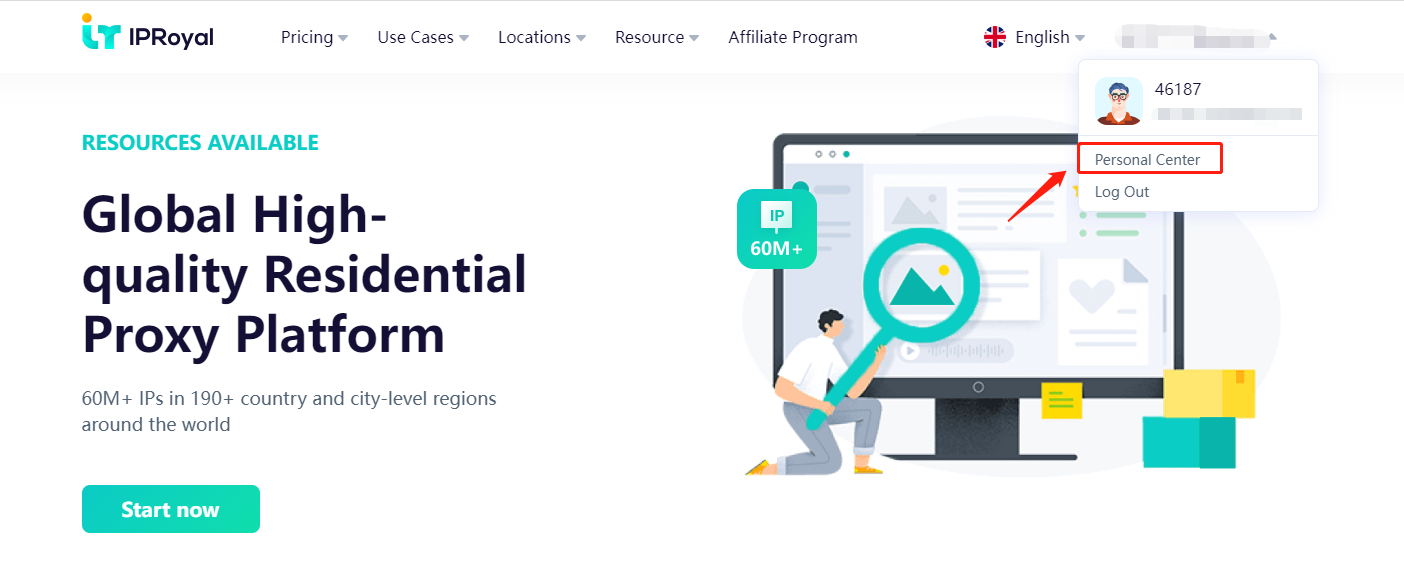
2. Click Personal Center
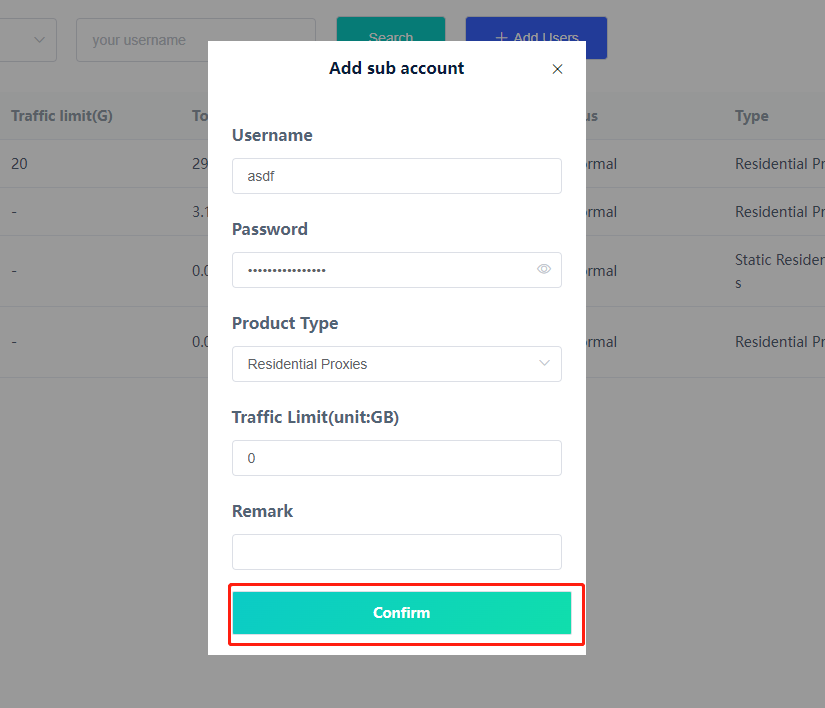
3.In the list of users, click Add user
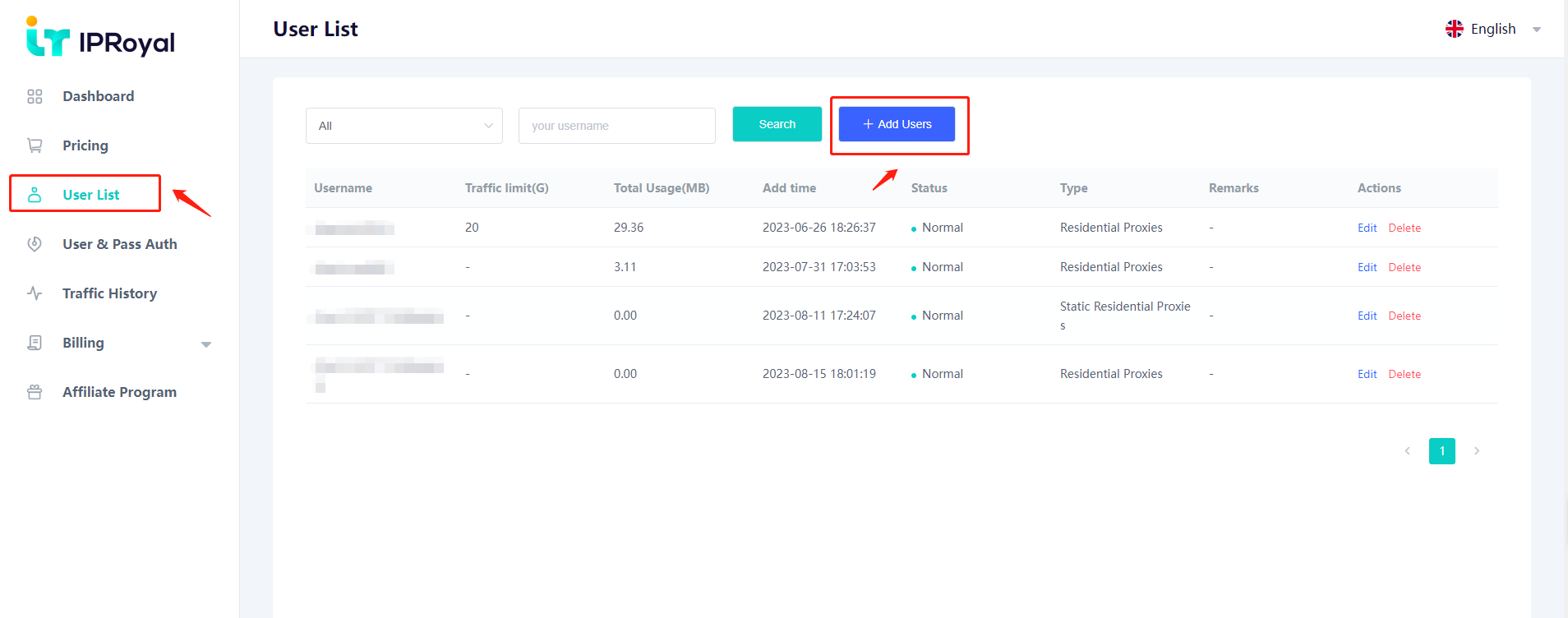
4.Enter the username, password, product type, and remarks, and click Confirm
5. After adding, click User and Pass Authorization, select the proxy type and account you just set, select the country, status, city and time you need, and select "Rotate" when exiting IP down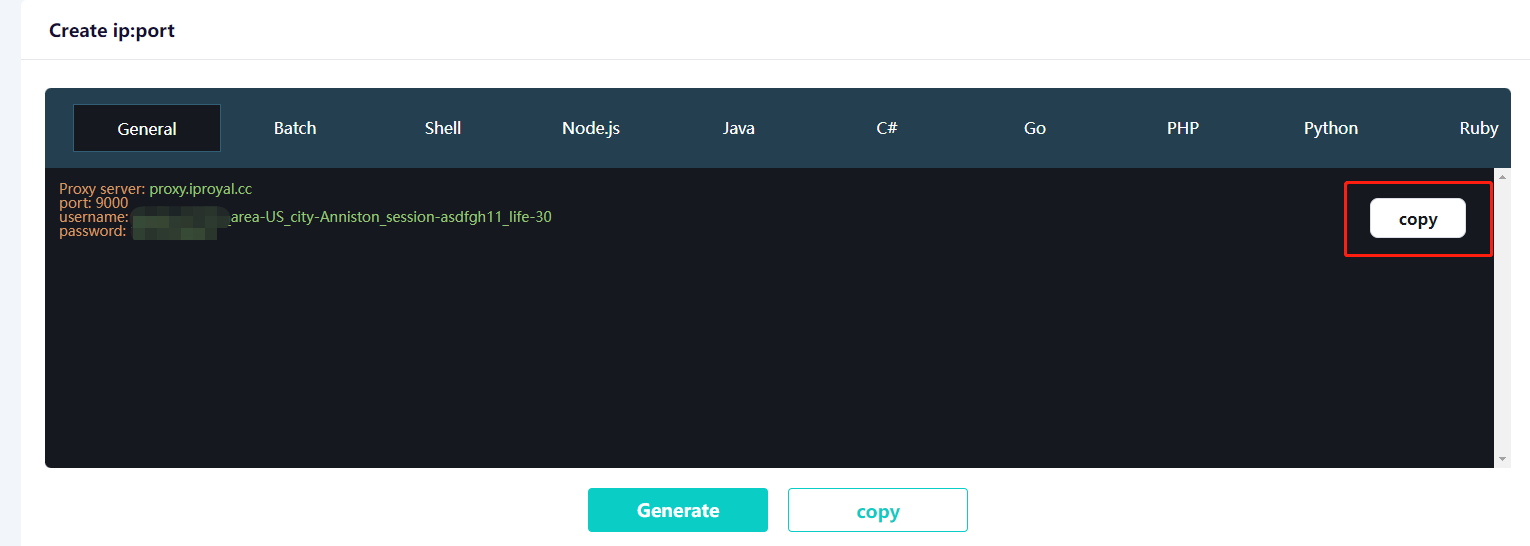
6.Copy and save the generated confidential information(Batch extraction can be done on demand.)
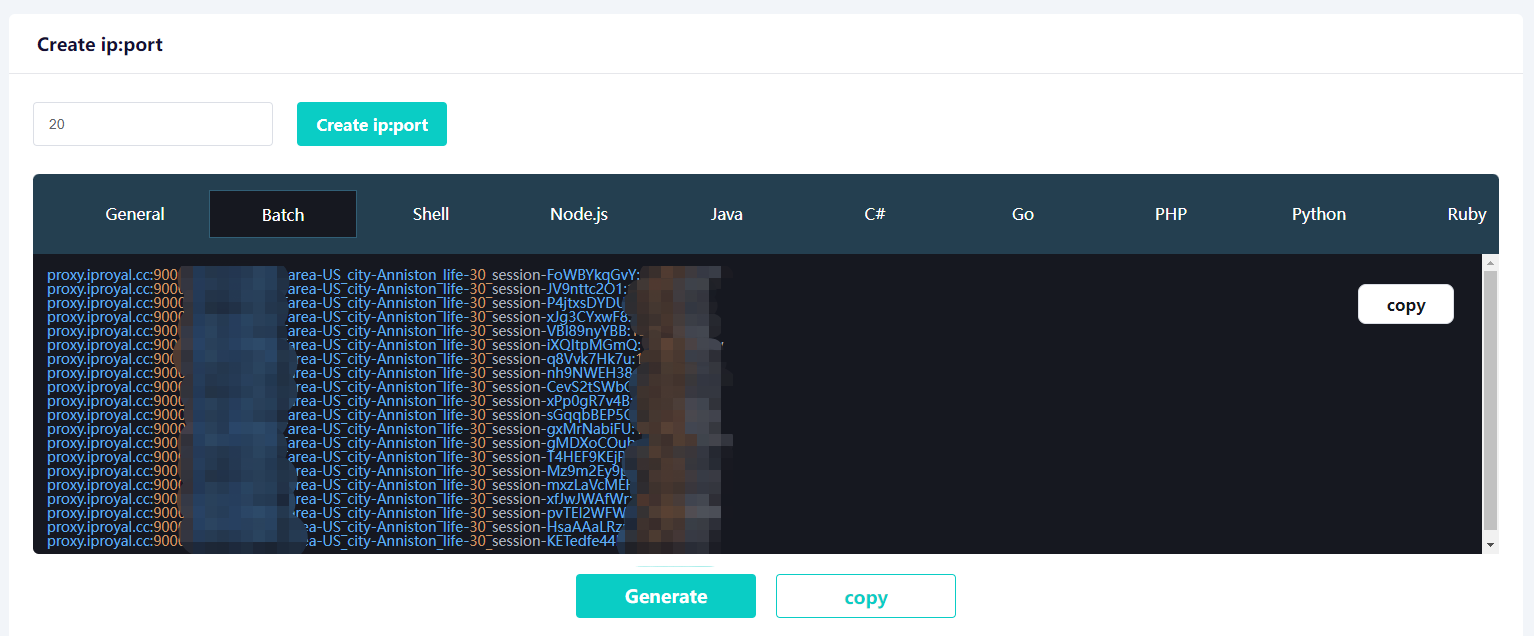
7.YunLark fingerprint browser configuration IP tutorial
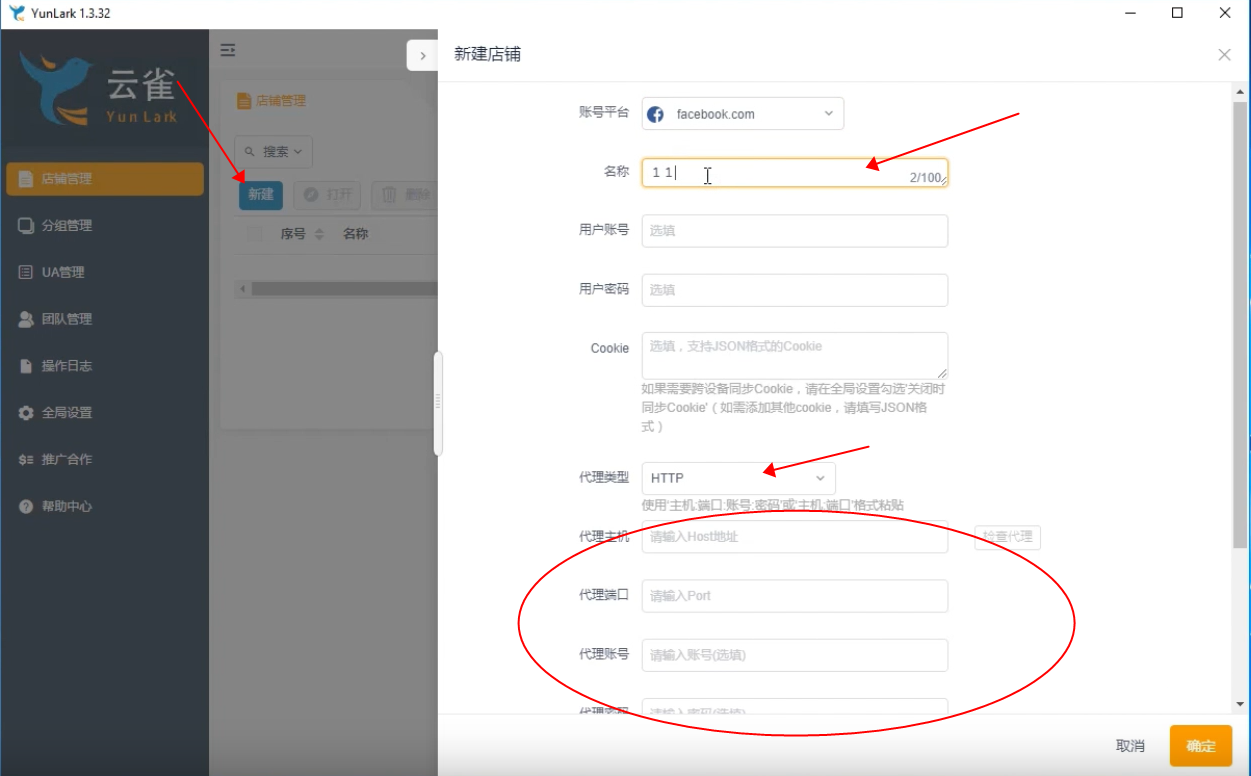
Register and log in to the YunLark browser system, click New - choose the account platform you want - fill in a name at will - proxy typeSelect
HTTP to write the account secret or API, and finally don't forget to check the proxy.